

Can an eSIM adapter void your phone's warranty?
An eSIM adapter does not automatically void your phone’s warranty simply because you insert it into a compatible physical SIM slot. Damage caused by the adapter or its installation is a separate issue: the manufacturer’s warranty terms and applicable consumer law determine whether that damage is covered. Check device fit and the warranty’s accessory exclusions before use; do not force the card, modify the tray or alter the phone to make it fit.
- Does eSIM adapter void warranty? Not automatically; accessory-related damage and unrelated phone defects require separate assessment.
- Switchesim eSIM adapters suit buyers with compatible physical SIM slots, not phones that lack a SIM tray.
- Check warranty terms, carrier-lock status and the profile-loading method before buying.
- In the EU, a minimum 2-year legal guarantee is separate from a manufacturer’s commercial warranty.
Why this matters
An incompatible card and an invalid warranty are not the same problem. A phone that fails to recognize an adapter needs compatibility troubleshooting; a damaged SIM tray needs a hardware assessment. Neither symptom, by itself, establishes the outcome of a warranty claim.
Start with the guide to adding eSIM to a phone without native support. Establish that the adapter fits your device before deciding how to load profiles.
For a purchase in 2026, keep the phone’s receipt, warranty terms and adapter instructions together. Those documents answer different questions: who sold the phone, what the manufacturer promises and whether you followed the accessory’s installation requirements.
Can an eSIM adapter void your phone’s warranty?
Using an adapter is not automatic cancellation of every warranty right. The relevant distinction is between an unrelated defect and damage attributed to the accessory. Commercial warranty exclusions and statutory consumer rights also operate separately.
| Situation | Warranty question | Your next move |
|---|---|---|
| Adapter sits correctly in a compatible SIM tray | Does the warranty restrict this accessory use? | Read the applicable warranty terms before installation |
| Phone develops an unrelated display fault | What connects the fault to the adapter? | Ask for the diagnosis and any refusal in writing |
| Tray bends during insertion | Was the damage caused by installation? | Stop using the tray and disclose what happened |
| Adapter is not recognized | Is this a compatibility or activation problem? | Check the device model, operating system and provider requirements |
| Installation involves modifying the phone | What do the terms say about alterations and resulting damage? | Do not modify the device to accommodate the adapter |
A service decision should identify the fault and the applicable exclusion. If support rejects a claim because an adapter was present, request the specific warranty clause and the technical reason for the rejection.
Do not treat this as a guarantee of repair. A correctly fitted adapter does not establish that every later failure is covered, just as its presence does not establish that it caused every later failure.
Manufacturer warranty and legal guarantee are different
A manufacturer’s commercial warranty is a promise governed by its terms. Statutory remedies come from consumer law and usually involve the seller. Read both before accepting a statement that your warranty has been voided.
For EU consumer purchases, Your Europe’s legal-guarantee guidance describes a minimum 2-year legal guarantee for goods that are faulty or not as advertised. This is the EU consumer-purchase framework relevant in 2026, not a promise that accidental damage receives free repair.
For consumer purchases covered by Poland’s current non-conformity rules, the seller generally bears responsibility for non-conformity revealed within 2 years of delivery. Polish consumer authority UOKiK explains this seller responsibility separately from a voluntary guarantee. Business purchases and purchases outside the applicable consumer framework need their own assessment.
In the United States, Federal Trade Commission guidance on the Magnuson-Moss Warranty Act generally prohibits conditioning warranty coverage on specified branded parts or services unless an exception applies. That does not require coverage for damage caused by an aftermarket accessory.
These frameworks are not interchangeable. Use the rules applicable to your purchase, and ask the seller or manufacturer to distinguish a commercial-warranty refusal from your statutory claim.
Why warranty outcomes vary
The adapter’s name is not the deciding factor. These facts determine which terms and legal protections apply:
- Purchase jurisdiction: Consumer remedies differ between countries; EU guidance does not settle a purchase governed by another jurisdiction.
- Claim route: A manufacturer’s commercial warranty and a seller’s statutory responsibility are separate routes.
- Failure type: An activation error, a broken tray and an unrelated hardware defect need different assessments.
- Installation method: Correct insertion differs from forcing a tray or modifying the device.
- Device fit: Model, regional variant, operating system and physical SIM-slot compatibility affect whether the accessory belongs in the phone.
- Documented cause: The diagnosis and the warranty exclusion matter more than a general statement about third-party accessories.
For a 2026 claim, save the terms that apply to your phone rather than relying on a forum post about another model. A different regional variant or warranty issuer can change the relevant documentation.
Check device fit before choosing an adapter
A compatible physical SIM slot is mandatory. An eSIM adapter cannot be inserted into a phone with no physical SIM tray. Native eSIM support and adapter compatibility are different capabilities.
Check the exact model number and regional variant. Then verify operating-system support, carrier-lock status, network bands and the eSIM provider’s activation requirements. A matching tray shape alone does not establish working service.
A carrier lock is especially important. An adapter is not a carrier-unlocking service, and loading a profile does not remove restrictions imposed on the phone. Resolve the lock question before buying a plan.
Use this pre-purchase checklist:
- Confirm that the phone has a compatible physical SIM slot.
- Match the exact model and regional variant to the adapter’s requirements.
- Confirm the supported operating system and management method.
- Check carrier-lock status and the intended network’s bands.
- Confirm that the provider supplies an activation method the adapter supports.
- Read the phone’s warranty provisions on accessories, alterations and damage.
If the tray resists closure, stop. Do not trim the card, add a spacer or push harder to turn an uncertain fit into an installation.
Choose the management path, not a warranty promise
Switchesim describes different paths for Android management, compatible iPhone use and reader-based provisioning. None of these paths establishes how a phone manufacturer will decide a warranty claim.
| Option | Best for | Stated setup path | Benefit | Limitation |
|---|---|---|---|---|
| Switch Pro | Buyers managing profiles through Android | Android-based profile management through the Switch Android app | A defined Android management path | Verify the Android device and intended host-device compatibility |
| Switch Max | Buyers using a configured card in a compatible iPhone | Configure the card through a supported provisioning path, then use it in the compatible iPhone | Extends use to compatible iPhones | The iPhone still needs a compatible physical SIM slot |
| Open-source Bluetooth eSIM card reader | Buyers loading profiles without an Android phone | Provision the adapter through the Bluetooth reader | Separates profile loading from Android-phone management | Does not make an incompatible phone or SIM slot compatible |
Switchesim eSIM adapters are best for buyers who have a compatible physical SIM slot and want multiple profiles without native eSIM support. Choose the product by device fit and provisioning method, not by an assumption that one accessory receives special warranty treatment.
Keep management and use separate. Using a configured Max card in an iPhone is not the same activity as managing profiles through the Switch Android app. Reader-based loading is another provisioning path, not evidence of unrestricted iPhone management.
Profile capacity and privacy checks
Switchesim states that its adapter-and-reader bundle stores up to 15 eSIM profiles. That bundle claim does not establish the capacity of every adapter variant, nor does stored-profile capacity establish simultaneous active connections.
The reader’s supplied product listing states that no app or account is required. Treat that as a specific setup claim, not a complete privacy guarantee. Before provisioning, check the current instructions for activation-code handling, permissions and any provider account requirements.
Do not publish activation QR codes, manual activation credentials or screenshots containing them in a warranty discussion. Give support the device details and error message without exposing provisioning credentials.
Pre-loaded destination-data cards reduce the profile-loading work associated with the included plan. They do not remove device-fit checks. Bulk or white-label supply likewise does not replace compatibility testing or establish a warranty arrangement for the host phones.
The reader and adapter-reader bundle below are relevant when you need a provisioning path without an Android phone. They are setup choices, not warranty assurances.

Install without turning a fit issue into damage
Follow the phone manufacturer’s SIM-handling instructions and the adapter’s current setup instructions. Do not substitute a generic tutorial for model-specific requirements.
- Confirm fit: Check the slot, model, regional variant and adapter requirements before opening the tray.
- Inspect tray: Look for existing damage and confirm the card’s orientation against the instructions.
- Load profile: Use the supported Android-management or Bluetooth-reader path for the chosen hardware.
- Insert carefully: Seat the card correctly and stop if the tray does not close normally.
- Test service: Check recognition and connectivity, then record any error without sharing activation credentials.
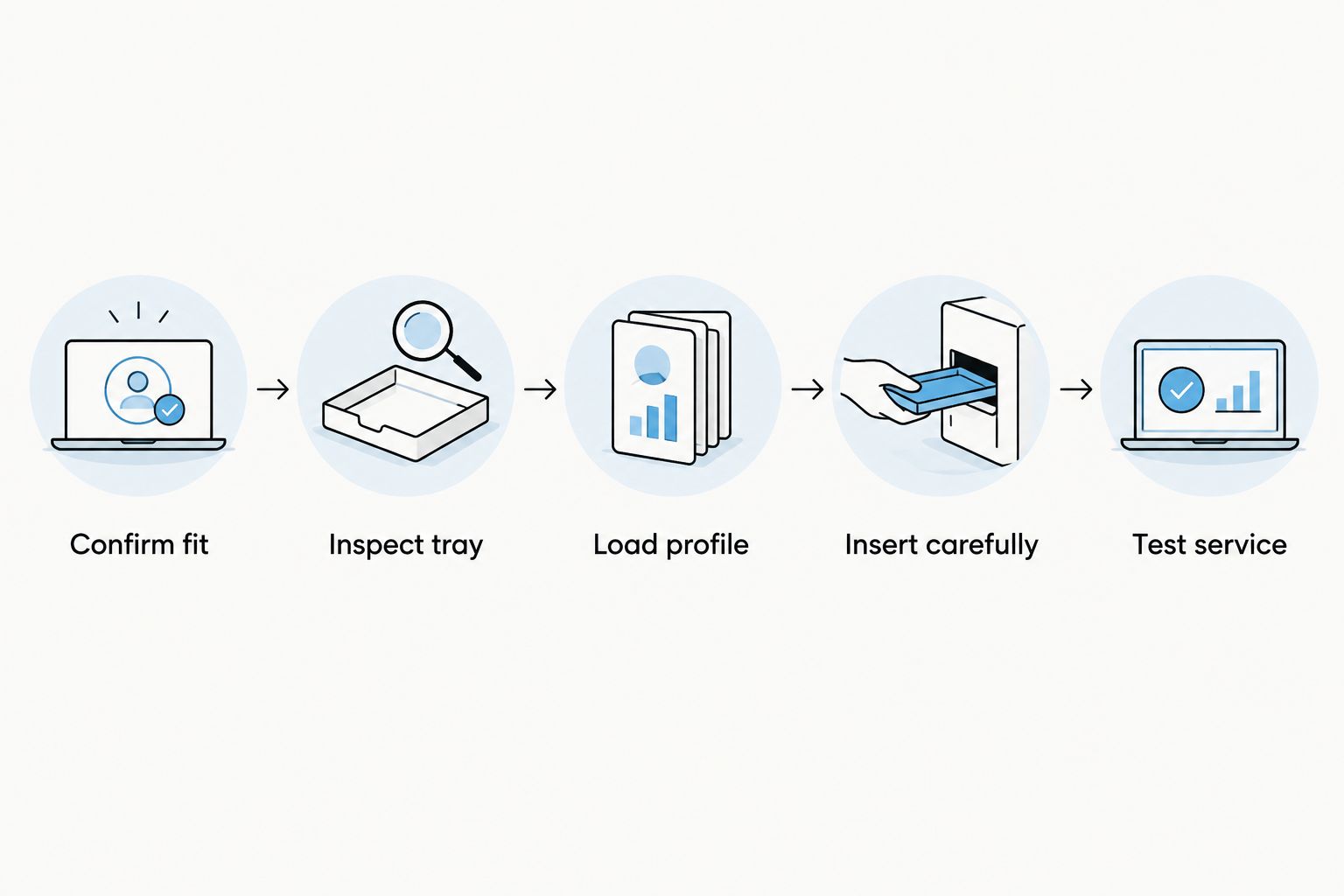
Separate a loading problem from a physical problem. If activation fails, review the provisioning instructions. If the card or tray does not fit, stop installation rather than repeatedly trying to activate it.
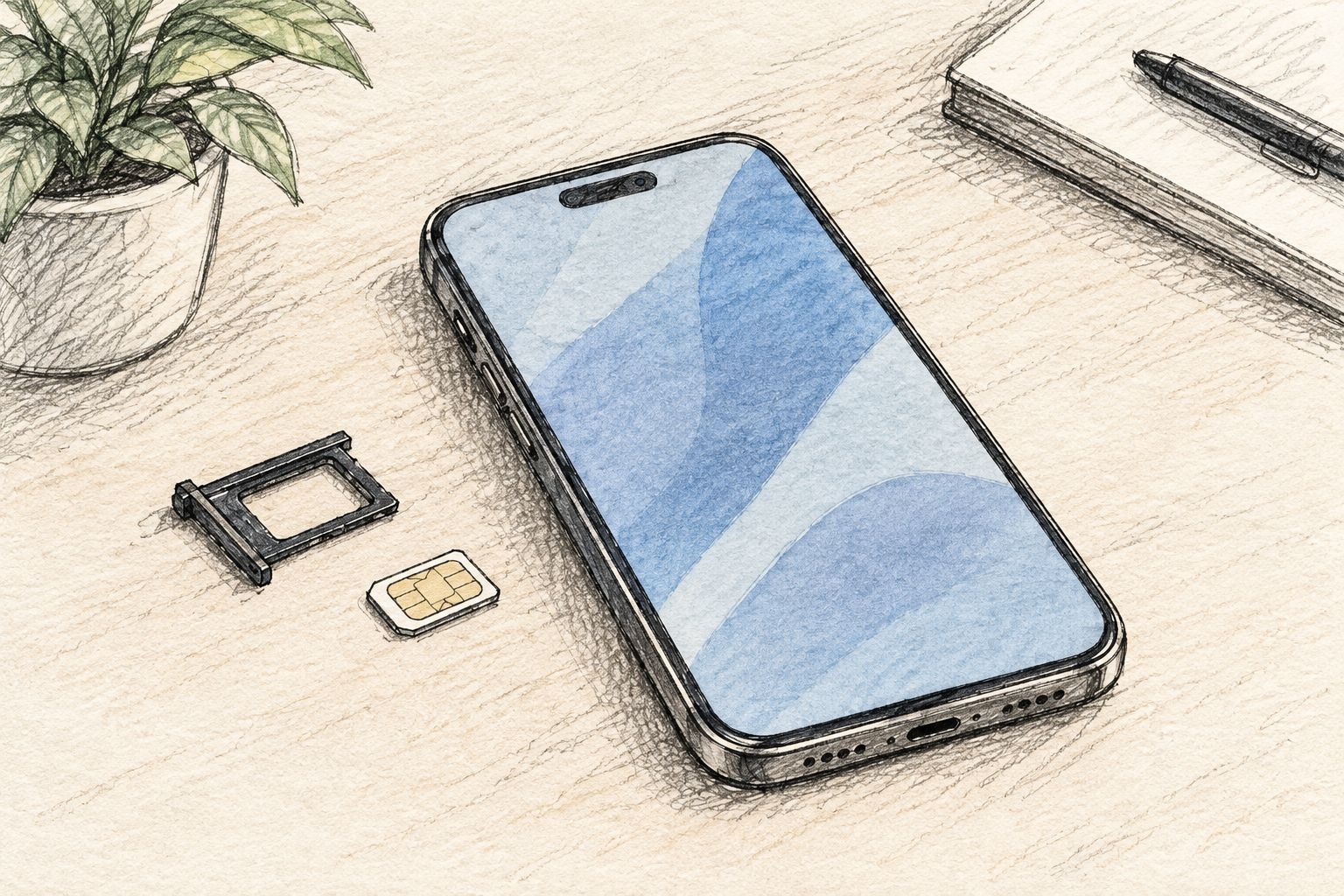
Does using an Android app void the warranty?
Using a profile-management app is not the same as physically damaging or modifying the phone. Assess the actual setup instructions and warranty terms, rather than treating all software use as an alteration.
Do not root the phone, unlock its bootloader or install modified firmware just to work around an unresolved compatibility problem. Those are separate actions with separate warranty implications; ordinary profile management does not establish that they are required.
Is a Bluetooth reader safer for the warranty?
A Bluetooth reader provides a different loading method, not a different legal entitlement. The configured adapter still needs correct physical fit in the phone.
Choose reader-based provisioning when you need that setup path. Do not choose it on the assumption that it guarantees warranty coverage or prevents installation damage.
What should you do if a warranty claim is rejected?
Ask for a written diagnosis, the specific exclusion and the reason the accessory is linked to the fault. Keep the refusal with your purchase documents and installation records.
If you are pursuing an EU consumer claim in 2026, distinguish the manufacturer’s warranty decision from the seller’s legal-guarantee obligations. For a disputed Polish consumer purchase, seek guidance from UOKiK’s consumer resources or the appropriate consumer adviser.
Before sending the phone for service, follow the repair provider’s instructions on backups and SIM removal. Disclose relevant installation events honestly; removing the adapter is not a reason to conceal possible damage.
FAQ
Does an eSIM adapter automatically void my phone’s warranty?
No automatic cancellation follows merely from inserting an adapter into a compatible physical SIM slot. Accessory-related damage, warranty exclusions and applicable consumer law require separate assessment.
Can a manufacturer reject a repair if the adapter damaged the SIM tray?
Damage caused during adapter installation can fall outside the applicable warranty coverage. Ask for the diagnosis and specific exclusion rather than accepting a statement that every warranty right has disappeared.
Does an eSIM adapter work in an iPhone without a SIM tray?
No, a physical eSIM adapter requires a compatible physical SIM slot. A configured Max card’s iPhone-use path does not remove that hardware requirement.
Does a Bluetooth reader protect my phone’s warranty?
A Bluetooth reader changes how profiles are loaded; it does not guarantee warranty coverage. The adapter still requires compatible hardware and correct insertion.
How long is the EU legal guarantee for a consumer phone purchase?
The EU framework provides a minimum 2-year legal guarantee for goods that are faulty or not as advertised. This seller-based protection is separate from a manufacturer’s commercial warranty and is not accidental-damage insurance.
How many profiles does the adapter-and-reader bundle store?
The supplied bundle listing states storage for up to 15 eSIM profiles. Verify the exact adapter variant; storage capacity does not establish simultaneous active connections.
Should I remove my eSIM adapter before sending the phone for repair?
Follow the repair provider’s SIM-removal and backup instructions before sending the phone. Disclose relevant installation events and do not include activation credentials in public support messages.
One last thing
Ask about the specific accessory and failure, not whether third-party accessories are allowed in general. Before a 2026 installation, give support the phone model, regional variant and proposed adapter, then retain the written response.
The useful question is whether correctly inserting that compatible card affects coverage for unrelated defects. It keeps ordinary accessory use separate from damage caused by installation.



