

Can an eSIM adapter work with a dual-SIM phone?
Yes—an eSIM adapter can work with a dual-SIM phone when the phone has a compatible physical SIM slot and supports the intended SIM combination. The adapter occupies a physical slot; it does not add another modem, bypass a carrier lock or increase the phone’s simultaneous-line limit. Check the exact model, regional variant, operating system and profile-loading method before buying.
- For eSIM adapter dual SIM phone compatibility, check the physical SIM slot and supported line combination first.
- Switchesim sells adapter hardware for compatible devices; dual-SIM branding alone does not establish compatibility.
- Switch Pro uses Android-based profile management; configured Switch Max cards extend use to compatible iPhones.
- The Bluetooth reader loads profiles without an Android phone; it does not add another cellular connection.
Can an eSIM adapter work with a dual-SIM phone?
Yes, but the adapter must fit an existing physical SIM connection. A phone with 2 physical SIM slots presents a different setup from a phone combining a physical SIM slot with native eSIM. An eSIM-only phone has no slot for a removable adapter.
For a 2026 purchase, establish the hardware arrangement before comparing adapters. The guide to adding eSIM to a phone without native support explains the separate question of adding profile support through removable hardware.
| Phone arrangement | Where the adapter goes | Potential benefit | Main limitation |
|---|---|---|---|
| Two physical SIM slots | Into one compatible slot | Keep a conventional SIM alongside an adapter | Both slots and the intended combination need verification |
| Physical SIM plus native eSIM | Into the physical slot | Use a removable adapter alongside the phone’s native capability | The phone determines which lines can operate together |
| Hybrid SIM and memory-card tray | Into the compatible SIM position | Add adapter-based profile use | Using that position can displace the memory card |
| No physical SIM slot | Nowhere | No removable-adapter benefit | A physical adapter cannot be installed |
The table describes possible arrangements, not a compatibility list. A shared product name across regional phone variants does not guarantee an identical SIM tray or supported line combination.
Why this matters
Buying an adapter solves a profile-access problem, not every dual-SIM problem. You still need to distinguish storing profiles, selecting a profile and keeping separate lines reachable.
Switchesim eSIM adapter hardware is best for buyers who need removable profile hardware in a compatible physical SIM slot. If your phone already supports your preferred providers and line arrangement natively, an adapter is not required just to obtain dual-SIM operation.
Start with the result you need: retaining a personal number while using another data connection, separating work and personal service, or moving configured hardware between compatible devices. Each goal requires checking the phone and service plan, not just the adapter.
Check the physical slot before the software
A removable adapter needs a compatible physical SIM slot. Neither an app nor a Bluetooth reader changes that requirement. Confirm the slot format and tray arrangement against the exact phone variant you own.
Check whether the tray accepts two SIM cards or shares a position with removable storage. On a hybrid tray, choosing the second SIM position can mean giving up the memory card. That trade-off matters if you depend on local storage.
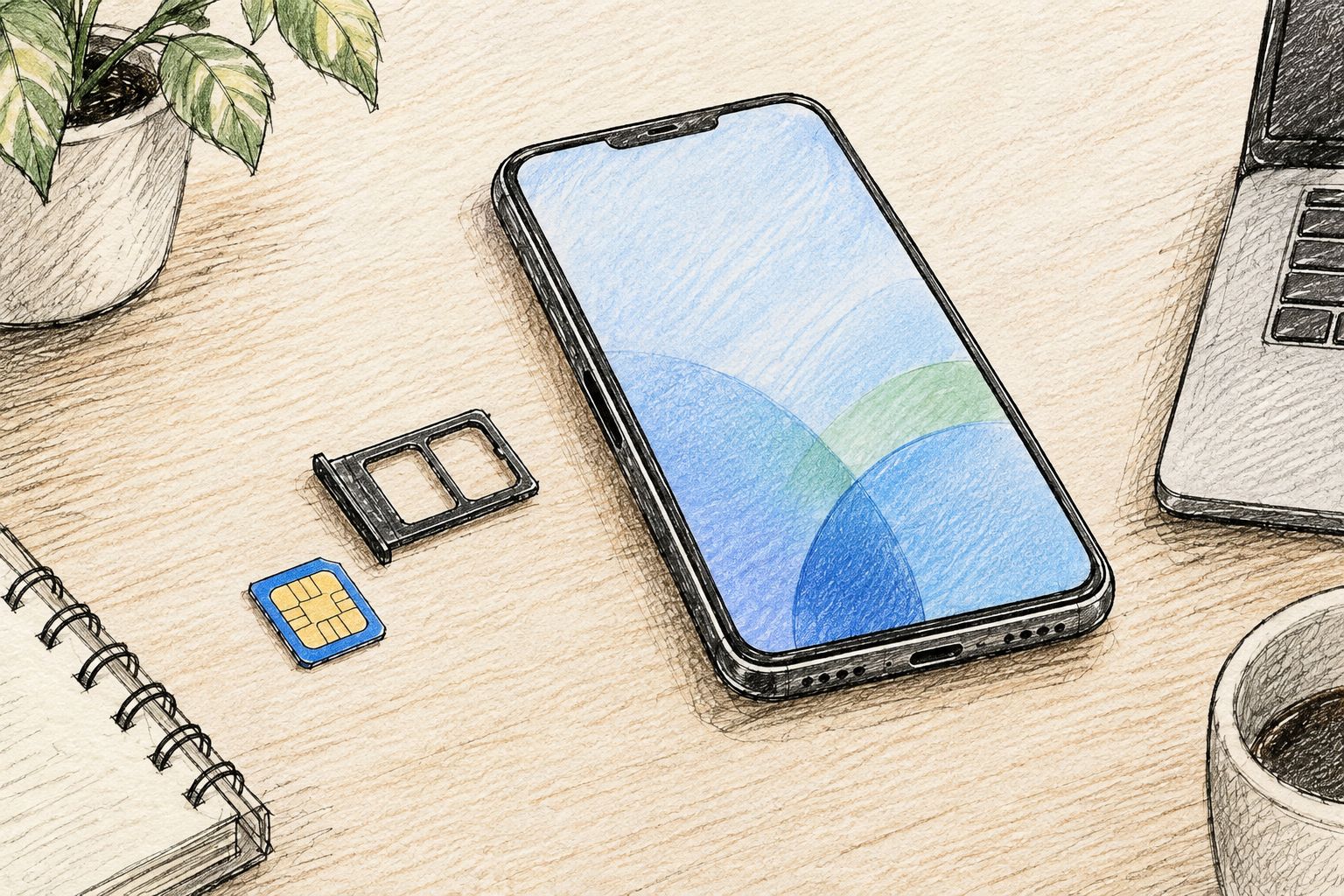
For your 2026 compatibility check, record the model identifier rather than relying on the retail name. Include the regional variant and installed operating system. Those details let you ask a precise compatibility question instead of asking whether an adapter works with an entire phone family.
Also check the slot you intend to use. Support in one tray position does not establish support in another, and successful insertion does not prove that profile management or network registration will work.
Choose the profile-loading path, not just the card
The phone that uses a configured card and the device that loads its profiles are not necessarily the same device. This distinction is especially important for iPhone buyers.
Switchesim separates Android management, configured-card use on compatible iPhones and reader-based provisioning. Choose the path that matches the equipment you actually have.
| Option | Best for | Profile-loading or use path | Benefit | Limitation |
|---|---|---|---|---|
| Switch Pro | Buyers managing profiles through compatible Android devices | Android-based profile management | A defined Android management path | Do not assume the same management workflow exists on iPhone |
| Switch Max | Buyers using configured cards in compatible iPhones | Configure the card through a supported provisioning path, then use it in the compatible phone | Extends configured-card use to compatible iPhones | Requires a compatible physical SIM slot and a verified setup path |
| Bluetooth reader | Buyers provisioning without an Android phone | Reader-based profile loading | Removes the need for an Android phone for loading | Does not replace the adapter or provide a cellular line itself |
Switch Pro: Android-based management
Choose Switch Pro when your verified setup uses the Switch Android app. Confirm that the intended Android device and operating system support the management workflow before treating the card as ready to use.
The limitation comes first: Android-based management is not a promise of equivalent iPhone management. Separate the device used to configure the card from any other device in which you intend to use it.
Switch Max: configured-card use on compatible iPhones
Choose Switch Max for a verified compatible iPhone setup with a physical SIM tray. Establish how you will load and select profiles before ordering the card.
A configured card working in an iPhone does not establish that every management task happens inside iOS. Ask specifically about loading, changing and deleting profiles through your intended setup. Keep those questions separate from whether the phone recognizes the card.
Bluetooth reader: provisioning without Android
Choose the Bluetooth reader when you need a supported profile-loading path without an Android phone. Switch describes its reader as open source and lists it as requiring no app or account.
That claim concerns the reader workflow. It does not mean the eSIM provider requires no account, identity checks or activation process. The reader is provisioning equipment, not another SIM slot or a replacement for cellular service.
Stored profiles are not simultaneous lines
Profile capacity describes what the adapter can retain. Simultaneous-line capability describes what the phone can operate. Do not use one specification as a substitute for the other.
For example, occupying 1 physical SIM slot with an adapter does not create extra physical slots. Likewise, retaining several profiles does not establish that the phone can register all of them at once.
Before buying in 2026, confirm the current profile-storage capacity for the exact adapter and the supported active-profile behavior. Ask whether changing profiles interrupts service and how the switch is performed on your chosen device.
Then check the phone’s dual-SIM behavior separately. Dual-SIM standby and simultaneous active use are different capabilities; a phone keeping two lines available on standby does not necessarily keep both usable during a call. Follow the phone manufacturer’s documentation for the exact model.
Why eSIM adapter compatibility varies
These factors determine whether an adapter is a practical fit:
- Model and regional variant. The exact device determines the tray arrangement and supported SIM combinations.
- Physical SIM position. The adapter needs a compatible slot; a hybrid tray also creates a storage trade-off.
- Operating system and provisioning method. Android management, configured iPhone use and reader-based loading are distinct workflows.
- Carrier-lock status. An adapter does not remove restrictions on which networks the phone accepts.
- Network bands. A usable profile still needs a phone that supports the destination network’s relevant radio bands.
- Provider requirements. Confirm that the provider’s activation method and service terms support your intended hardware and use.
A successful hardware check is only part of the decision. A card can fit while the intended provider or management workflow remains unsuitable. Verify the complete combination before relying on it for an essential number.
Set up the adapter without disrupting your existing line
Keep your current service available while you validate the new configuration. Avoid deleting an existing eSIM or cancelling service merely to test removable hardware.
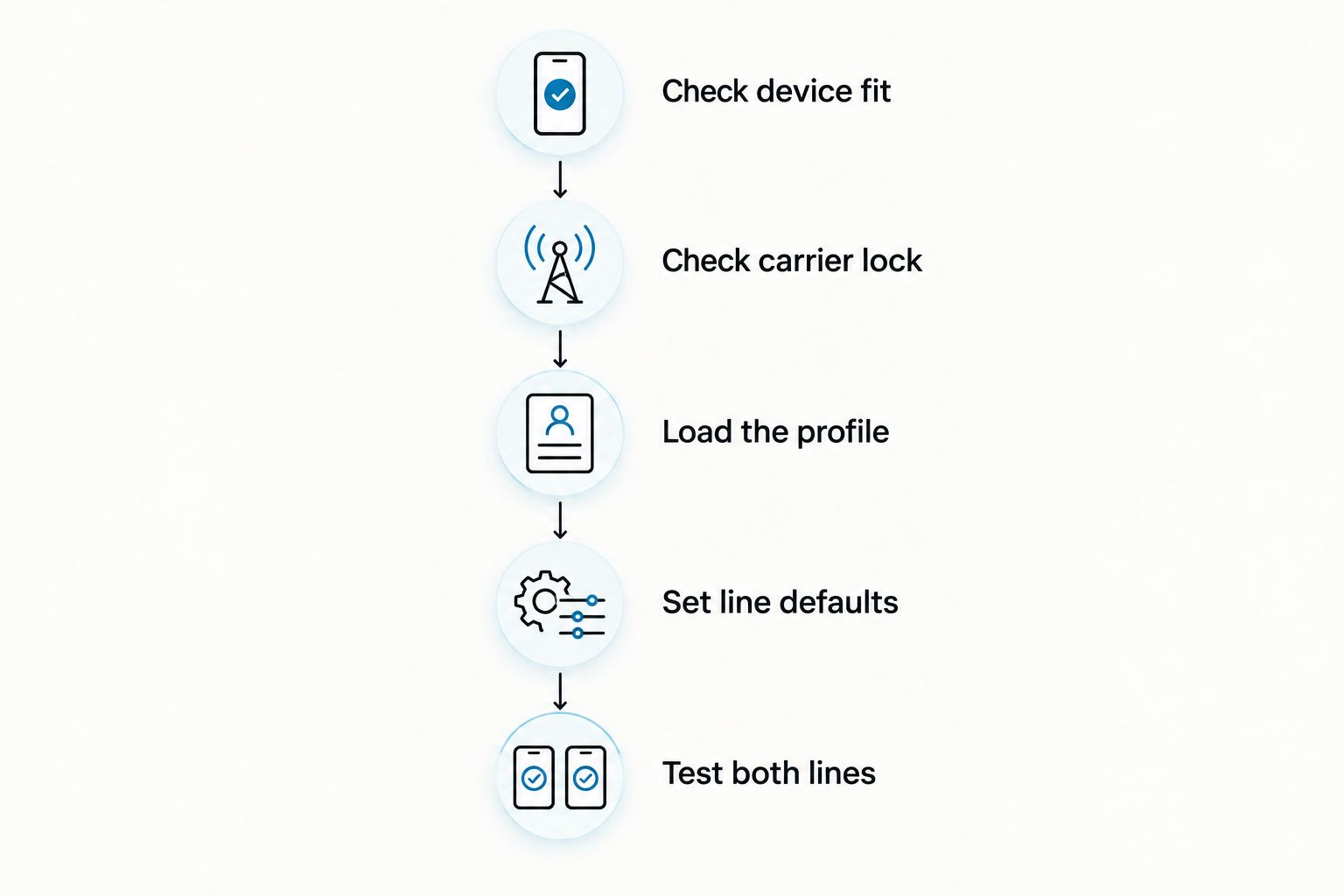
- Check device fit. Record the phone model, regional variant, operating system and available physical SIM position.
- Check carrier lock. Confirm that the phone accepts the intended provider rather than assuming an adapter bypasses restrictions.
- Load the profile. Use the supported Android management or Bluetooth-reader path for the chosen hardware.
- Set line defaults. Select the intended defaults for calls, messages and mobile data in the phone’s available settings.
- Test both lines. Check registration, incoming calls, outgoing calls, messages and data according to the services each plan includes.
Test with Wi-Fi disabled when checking cellular data. Otherwise, a working Wi-Fi connection can conceal a mobile-data problem. Also check which line supplies data rather than treating a signal indicator as proof that the intended connection works.
If one line fails, isolate the failure. Check slot recognition first, then profile selection, network registration and service settings. Changing several settings together makes it harder to identify the cause.
Check privacy and capacity before purchasing
Switchesim’s open-source reader and its stated no-app, no-account workflow are specific product claims. They do not establish that every part of a mobile-service purchase is anonymous or account-free.
For your 2026 purchase, separate the reader’s requirements from the provider’s requirements. Ask what software handles the activation details, which permissions it requests and whether any account is needed for that particular provisioning path.
Use this pre-purchase checklist:
- Confirm the exact phone variant and compatible slot.
- Confirm the operating systems supported by the management method.
- Verify current profile-storage capacity for the selected card.
- Verify how many profiles the card enables at once.
- Establish how you will switch, remove and reload profiles.
- Check provider activation and identity requirements.
- Confirm the intended voice, messaging and data services.
Pre-loaded destination-data cards address a different need: receiving hardware with destination data already loaded. They do not remove compatibility checks. Bulk and white-label options suit supply requirements, not a different phone-level compatibility standard.
Can I keep my existing physical SIM alongside an adapter?
Yes, if the phone has another usable SIM position and supports that combination. With 2 physical SIM slots, one position can hold the conventional SIM while the other holds a compatible adapter.
A phone with only one physical slot cannot hold both removable cards at once. Native eSIM provides a separate possibility only where the phone, provider and supported line arrangement allow it.
Can I use an adapter and native eSIM together?
Yes, where the phone supports the physical-SIM-plus-native-eSIM combination and accepts the adapter. The adapter uses the physical slot; it does not convert that slot into another native eSIM subsystem.
Check the supported active-line arrangement before purchasing. Do not infer simultaneous operation from the number of profiles stored across the phone and adapter.
Does an adapter unlock a carrier-locked phone?
No. An adapter does not remove a carrier lock, and loading another provider’s profile does not establish that the phone will accept that provider’s network.
Check the lock status through the phone’s documented process or carrier before buying hardware for another network. Treat unlocking and profile provisioning as separate tasks.
FAQ
Will an eSIM adapter work in every dual-SIM Android phone?
No. The exact model, regional variant, operating system, physical slot and provisioning method must support the intended setup. Dual-SIM branding alone is not a compatibility guarantee.
Can I use an eSIM adapter in an iPhone without a SIM tray?
No. A removable eSIM adapter needs a compatible physical SIM slot. A Bluetooth reader does not add a slot to an eSIM-only iPhone.
Does storing more profiles let me use more phone numbers at once?
No. Profile-storage capacity does not establish simultaneous-line capacity. Check the adapter’s active-profile behavior and the phone’s supported SIM combination separately.
Do I need an Android phone to load profiles?
Not for every provisioning path. Switchesim offers a Bluetooth reader for loading profiles without an Android phone; verify that workflow for your chosen card and provider.
Can I keep my personal number and use an adapter for data?
Yes, if your phone supports the intended line combination and both services work with the device. Set the call, messaging and mobile-data defaults explicitly, then test them.
Does an open-source reader mean my mobile plan needs no account?
No. The reader’s stated no-account workflow does not determine the eSIM provider’s account or identity requirements. Check the provider’s terms separately.
One last thing
Test incoming calls while the other line is using data. Seeing both network names on screen does not establish how the phone behaves during actual use.
For a 2026 setup, that practical test matters more than the number of profiles advertised. Buy for the phone’s verified line arrangement and your available provisioning method—not the dual-SIM label alone.



